
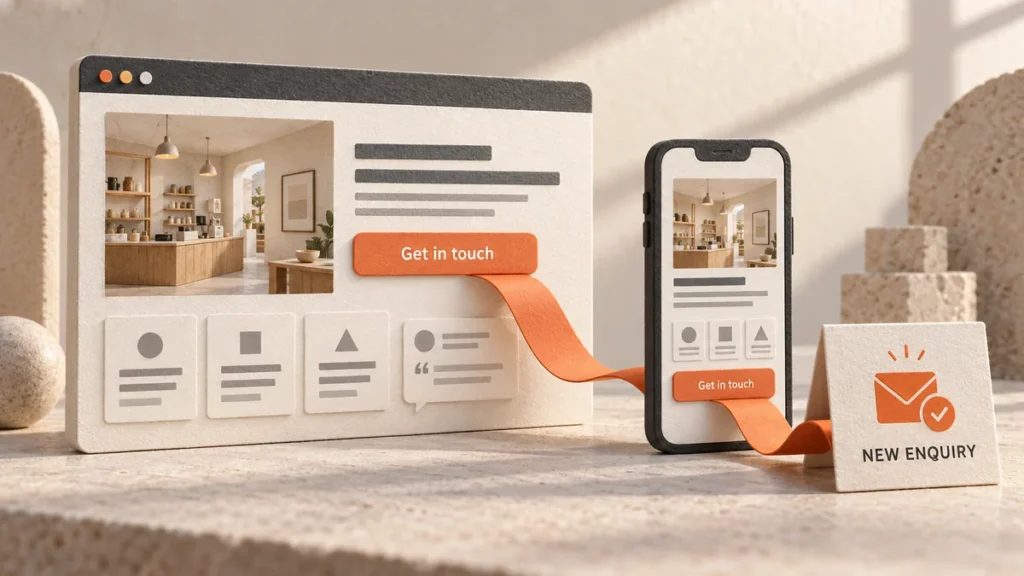
Your Website is Your First Impression
A lot of small business owners think a website is optional. It’s something you get around to eventually, like updating your logo or redesigning business cards. The truth is your website is way more important than you think.
Your website is your storefront. It’s where customers research you before they call. It’s where they decide if you’re legitimate. It’s where they decide to buy or move on to a competitor. If you don’t have one, you’re invisible. If you have a bad one, you might as well not have one at all.
A slow website loses customers immediately. An outdated design makes people distrust you. A website that doesn’t work on mobile kills sales because most people browse on their phones now. Your website is the first thing potential customers see. Make it count.
What Makes a Good Website
A good website does four specific things. It loads fast, it looks professional, it works on mobile, and it actually brings customers.
Speed matters more than you think. If your site takes more than three seconds to load, people leave. They don’t wait. Google doesn’t rank slow sites either. A fast website keeps people on the page long enough to actually read what you do.
It needs to look professional too. You don’t need fancy graphics or animations. You just need it to look like a real business. A website from 2015 looks dead. People make snap judgments about your company based on how your site looks. Make that judgment a good one.
Mobile is non-negotiable now. Most people search on phones. Your website has to work perfectly on a small screen. Not just barely work. Work perfectly. If your site is hard to read or navigate on a phone, people leave.
Finally, your website has to convert visitors into customers. A beautiful site that gets zero calls is useless. Your site needs clear calls to action. It needs easy ways for people to contact you. Visitors should know what you do and how to reach you within five seconds of landing on your site.
DIY Website Builders vs Professional Design
You have two main paths. Build it yourself with DIY tools or hire a professional. Both work. It depends on your budget and your goals.
DIY builders like Wix, Squarespace, and WordPress.com are affordable and fast. You can get something live in a few hours for $10-20 per month. The templates look decent and they’re easy to use. If you’re just starting out or you have almost no budget, DIY is a good way to get online quickly.
Professional web design costs more upfront. You’re looking at $2,000-10,000 depending on how complex your site needs to be. But you get something customized to your business. It’s built for what you actually do, not a generic template. Professional sites convert better because they’re built to turn visitors into customers.
Here’s the thing. If your business is established and you want to compete, professional design pays for itself in conversions. You’ll make back that $3,000 investment in the first few customers who buy because your site actually looked trustworthy. If you’re starting out with no budget, DIY is fine as a starting point. But upgrade to professional as soon as you can afford it.
WordPress vs Shopify vs Other Platforms
Different platforms do different things. The right choice depends on what you need.
WordPress is the most flexible option. It powers most websites online. You can build almost anything with WordPress. The downside is it requires more maintenance. You need hosting. You need to handle security updates. WordPress is powerful but it’s not hands-off. If you need complete control or custom functionality, WordPress is the way to go.
Shopify is built specifically for selling products online. It handles payments, inventory, shipping, all the ecommerce stuff. If you sell physical products or digital products, Shopify is excellent. It’s managed hosting so you don’t have to worry about servers or security. It just works.
Wix and Squarespace are easier than WordPress but less flexible. They’re good for simple sites like portfolios or service businesses that just need a storefront. If you need custom functionality or integrations, they’re limiting.
Elementor is a page builder for WordPress that makes it easier to use. You drag and drop instead of coding. It’s a good middle ground if you want WordPress flexibility but don’t know how to code.
Pick based on what you need to do. Selling products? Go Shopify. Need complete customization? Go WordPress. Just need something simple? Squarespace works fine.
What to Actually Include on Your Site
Your homepage is your pitch. It’s the first thing people see so make it count. Tell them who you are, what you do, and who you help. Give them one clear reason to take action. Maybe it’s a call or a form submission. Just make it obvious. Visitors should understand your value in about ten seconds.
Your services or products page needs to explain what you offer and why it matters. People don’t care about your specs or features. They care about results. What problem does your service solve? How will their life improve? That’s what sells. Write from the customer’s perspective, not yours.
An about page builds trust. People do business with people they like and trust. Share your story. What’s your background? Why do you do what you do? Make it personal. Don’t just list your credentials. Let people get to know you a little bit.
Your contact page should be stupid easy. Phone number. Email. Contact form. Address if you have a physical location. Don’t make people hunt for how to reach you. Remove every barrier. The easier you make it to contact you, the more people will.
A blog shows you know your stuff. It ranks on Google. It gives people reasons to visit your site more than once. You don’t need to post every day. One good blog post per week is plenty to make a difference.
Testimonials from real customers are gold. Social proof works. Real people saying your service is good is more powerful than you saying it yourself. Video testimonials convert best but written ones work too.
An FAQ page answers questions your customers ask all the time. It saves your team time. It also ranks on Google for question-based searches. Win-win.
Design Principles That Actually Work
Keep navigation simple. People should find what they need in two clicks. Not buried in dropdown menus. Clear, obvious navigation.
Use white space. Cramped designs overwhelm people. Give content room to breathe. People can scan and read easier when there’s space.
One clear call to action per page. Don’t confuse people with five options. One button. One message. Make it obvious what you want them to do.
Design for mobile first. Build for phones. Then make it look good on desktop. Most of your visitors are mobile so prioritize them.
Images matter but speed matters more. Compress images so they load fast. Use tools like TinyPNG. Huge image files destroy your site speed.
Build trust with proof. Logos of companies you work with. Customer testimonials. Trust badges. Certifications if you have them. These build credibility fast.
Keep branding consistent. Same fonts. Same colors. Same tone of voice. Consistency builds recognition.
Common Website Mistakes
Using too many fonts looks amateur. Stick to two fonts max. One for headings and one for body text.
Outdated design screams that you don’t update anything. Websites from 2015 look dead. Refresh your design every three years at minimum.
Not testing on mobile is inexcusable. Test your site on your phone before it goes live. Make sure it actually works and looks good.
Slow loading kills conversions. Use PageSpeed Insights to check your speed. Fix the issues it flags.
Auto-playing music or video is incredibly annoying. Never do this.
Too many ads or pop-ups drive people away. Respect your visitors.
Unclear value proposition confuses people. Use clear language. Avoid jargon. Make it obvious what you do.
Broken links hurt credibility and SEO. Test every link before launching.
No clear contact information is a conversion killer. Make it impossible for people to not find how to reach you.
Outdated information kills trust. Old phone numbers. Old team members. Old facts. Update your site every month.
How to Know If Your Website Is Working
Track these metrics in Google Analytics 4. They tell the real story.
Traffic is how many people visit. More is good but quality beats quantity. One focused visitor who buys is better than a hundred random visitors.
Bounce rate is the percentage of people who leave without taking action. High bounce rate means something is wrong. Either the messaging is off or the page experience is bad. Fix it.
Time on page shows engagement. If people are spending time reading, they’re interested. If they bounce in seconds, something’s not right.
Conversion rate is the percentage of visitors who take the action you want. Call you. Fill out a form. Buy. This is the metric that matters most.
Click-through rate on your main CTA tells you if people are actually clicking your button. If it’s low, redesign it.
Pages per session shows if people are exploring your site. More pages means more interest in your business.
Mobile vs desktop traffic shows where your visitors come from. Most should be mobile at this point.
Common Questions About Website Design
Do I need a website for my small business?
Yes, without question. Customers research online before making a purchase decision. A website builds credibility. It’s available 24/7. It ranks on Google and brings free traffic. A website pays for itself in conversions. Even if you do most business locally or in person, you need an online presence.
Should I build my own website or hire a professional?
If you have budget and want the best results, hire a professional. Professional sites convert better and rank better than DIY sites. If you have almost no budget, start with a DIY builder like Wix or Squarespace. You can upgrade to professional later as your business grows.
How much does web design cost?
DIY builders cost $10-50 per month. Professional web design ranges from $2,000-10,000 for a small business site. Custom development costs more. It depends on complexity and the designer’s experience. Get quotes from multiple designers and compare value, not just price.
How long does web design take?
DIY sites launch in days or weeks. Professional design typically takes 4-8 weeks. Custom development takes 8-12 weeks. It depends on how complex your site needs to be and how quickly you provide feedback. Plan for it to take longer than you think.
What's the difference between web design and web development?
Web design is how the site looks, the colors, fonts, and layout. Web development is how the site works, the code and functionality behind it. Most web professionals do both. Some specialize in design. Some specialize in development. For a small business, you want someone who can do both.
Your Website Is Your Most Important Marketing Tool
Don’t cheap out on your website. This is the foundation of everything else you do. It works 24/7. It builds your brand. It converts customers.
Start with the basics. Make it fast. Make it look professional. Make it work on mobile. Make your value obvious. Make it easy for people to contact you. Measure what’s working and improve based on data.
A good website is the best marketing investment you can make.