
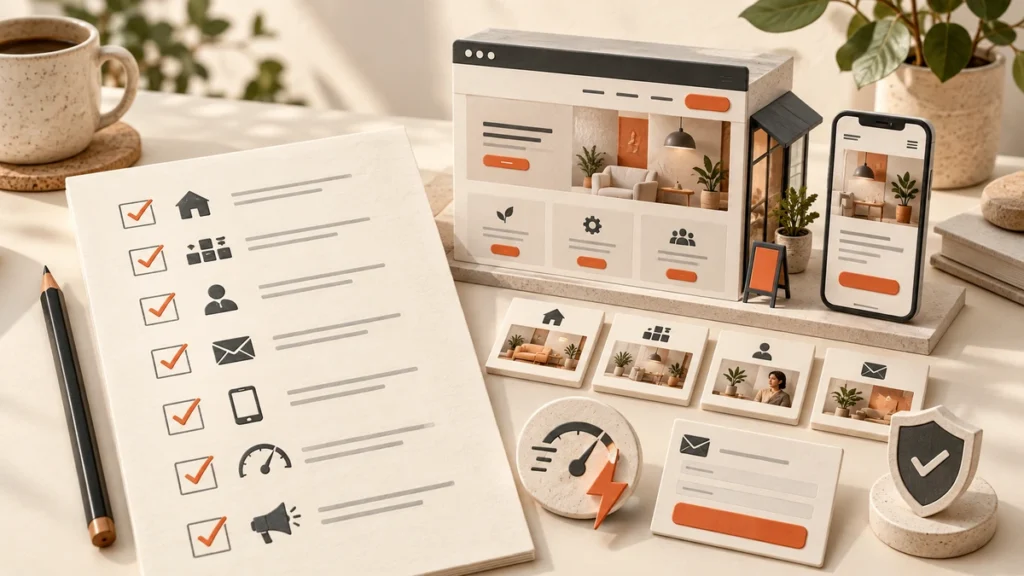
A new website can look professional and still fail to generate enquiries.
The problem is often not the logo, colours, or layout. The website may be unclear, difficult to use on a mobile phone, slow to load, or missing information that customers need before contacting the business.
Whether you are launching a new website or improving an existing one, this small business website checklist will help you review the details that matter.
1. Make Your Main Offer Clear
When someone opens your homepage, they should quickly understand what your business does, who you help, and what they can do next.
Avoid headlines that sound polished but do not explain anything, such as:
“Helping businesses achieve better outcomes.”
A clearer headline would be:
“Website development for small businesses that want more enquiries.”
The second example tells visitors what the business does and gives them a reason to continue reading.
2. Write for the People You Want to Attract
Your website should reflect the questions and concerns of your potential customers.
Someone considering your service may want to know:
What exactly do you offer?
Is the service suitable for their type of business?
How does the process work?
How long does it take?
What does it usually cost?
What happens after they make contact?
Try to explain your services in the same language your customers use. A website should not read like an internal company presentation filled with phrases that only your team understands.
3. Give Your Main Services Their Own Pages
If you provide several services, avoid putting everything on one crowded page.
Each important service should have its own page. This gives visitors enough information to understand the service and gives search engines a clearer idea of what each page is about.
A useful service page should explain:
What the service includes
Who it is for
What problem it solves
How your process works
What makes your approach different
How the visitor can get started
Your blog articles can then link to these pages when readers are ready to learn more about a specific service, including the difference between website design and website development.
4. Make Your Contact Details Easy to Find
People should not have to search through your website to find out how to contact you.
Include a clear contact option in your:
Main navigation
Homepage
Service pages
Website footer
Relevant blog articles
Your main action could be requesting a quote, booking a consultation, calling your business, or sending an enquiry. Choose the action that makes sense for your business and make it easy to complete.
5. Give Each Page a Clear Next Step
A page can include several links, but visitors should still understand what they are expected to do next.
For example:
A service page can encourage visitors to book a consultation.
A blog article can link to a related service page.
An about page can guide visitors towards contacting the business.
A case study can lead visitors to a project enquiry.
Use descriptive button text such as “Book a Consultation” or “Explore Website Development.” Avoid vague labels such as “Click Here.”
6. Check the Mobile Experience
A website that works well on a desktop computer may still be difficult to use on a phone.
Review the website on different screen sizes and check that:
Text is easy to read
Buttons are easy to tap
Menus open correctly
Forms work properly
Images fit within the screen
Important information is not hidden
Phone numbers can be tapped
Mobile users should not need to zoom in, scroll sideways, or struggle with small buttons to contact your business.
7. Improve Website Speed
Website speed affects the experience visitors have when they open your pages.
Large images, unnecessary plugins, poor hosting, and excessive scripts can slow a website down. Check the homepage, service pages, contact page, and other pages that receive the most traffic.
Before launch, review your image sizes, remove features you do not need, and make sure your website is being hosted properly.
A faster website gives visitors less reason to leave before they understand your offer.
8. Keep the Navigation Simple
Most small business websites do not need complicated navigation.
A simple structure may include:
Home
About
Services
Blog
Contact
If you provide several services, place them under a clear services section. Use labels that visitors understand without needing to guess what each item means.
Simple navigation helps people find information faster, especially when they are visiting your website for the first time.
9. Make the Content Easy to Read
Most visitors scan a website before they read it properly.
Use:
Short paragraphs
Clear headings
Bullet points
Simple sentences
Helpful examples
Direct calls to action
Avoid writing content that sounds impressive but says very little. Instead of writing “We deliver innovative, end-to-end solutions,” explain what you do, who you help, and what the customer can expect.
10. Include Genuine Trust Signals
People want to know whether your business is reliable before they make contact.
Useful trust signals may include:
Customer testimonials
Reviews
Case studies
Project examples
Relevant experience
Certifications
Professional memberships
A clear explanation of your process
Only include genuine claims that you can support. A specific testimonial or project example is usually more useful than a long list of general promises.
11. Use Images That Support the Page
Images should help visitors understand your business, services, or process.
Depending on your business, useful images may include:
Original team photographs
Project images
Product photographs
Website screenshots
Diagrams
Process illustrations
Before uploading an image, check that it is relevant, properly sized, and compressed for the web. Use descriptive file names and suitable alt text where needed.
Avoid using random stock images that have no connection to the business.
12. Check the Basic SEO Elements
Every important page should have a clear SEO foundation.
Check that each page includes:
- A unique SEO title
- A useful meta description
- One clear H1 heading
- Descriptive subheadings
- A readable URL
- Links to related pages
- Natural wording related to the page topic
- Descriptive image alt text where appropriate
SEO should be considered while the website is being planned, which is why many businesses review their requirements before choosing professional SEO services.
It becomes harder to fix important structural problems after every page has already been published.
13. Add Local Information When It Matters
If your business serves particular locations, make that information clear on the website.
You may need to include:
The areas you serve
Local service information
Consistent business details
A link to your Google Business Profile
Customer reviews
Location-specific service pages where appropriate
Do not create several pages that contain almost the same content with only the city name changed. Each local page should provide useful information for people in that area.
14. Test Your Forms and Tracking
Test every important form before the website goes live.
Check that:
The form can be submitted
Required fields work
The confirmation message appears
Notifications reach the right person
Spam protection does not block genuine enquiries
The form works on mobile devices
You should also connect Google Analytics and Google Search Console. These tools can help you understand how people find your website and what they do after arriving.
15. Plan for Ongoing Improvements
A website should not be treated as a finished project forever, especially when a website redesign checklist reveals problems with content, usability, or performance.
After launch, review:
- Which pages receive traffic
- Which pages generate enquiries
- Where visitors leave the website
- Which search queries bring visitors
- Which devices people use
- Whether the content still reflects your services
Sometimes a clearer headline, better service explanation, or simpler contact form can improve a website without requiring a complete redesign.
Final Small Business Website Checklist
Before launching your website, confirm that:
Your main offer is clear
Your services have dedicated pages
Your contact details are easy to find
Your website works on mobile devices
Your important pages load properly
Your navigation is simple
Your content is easy to scan
Your trust signals are accurate
Your images are relevant and optimised
Your basic SEO is in place
Your forms have been tested
Your tracking is connected
You have a plan for future improvements
A successful small business website is not only attractive. It helps the right visitors understand your business, trust your offer, and take the next step.
If your current website is difficult to use, does not explain your services clearly, or is not generating the enquiries you expected, a structured website review can help you identify what needs to improve.
Frequently Asked Questions
What should a small business website include?
A small business website should usually include a clear homepage, service pages, an about page, contact details, trust signals, mobile-friendly design, useful content, basic SEO, and a simple way for visitors to enquire.
How many pages should a small business website have?
There is no fixed number. Most small businesses need a homepage, about page, contact page, service pages, and supporting content. The right number depends on the business, its services, customers, and locations.
What is the most important page on a small business website?
The homepage is often the first page people visit, but service pages are equally important. Service pages explain what the business offers and help visitors decide whether to make contact.
How much does it cost to build a small business website?
The cost depends on the number of pages, design requirements, functionality, content, platform, integrations, and ongoing support. A simple brochure website will require a different budget from a custom website with advanced features.
What makes a small business website successful?
A successful website clearly explains the offer, builds trust, works well on mobile devices, loads quickly, attracts relevant visitors, and makes it easy for people to take the next step.
Need Help Improving Your Business Website?
Is your website outdated or not generating enough enquiries? Vissi can help you plan and develop a clearer, more effective website. Explore our Website Development Service and contact our team to discuss your requirements.