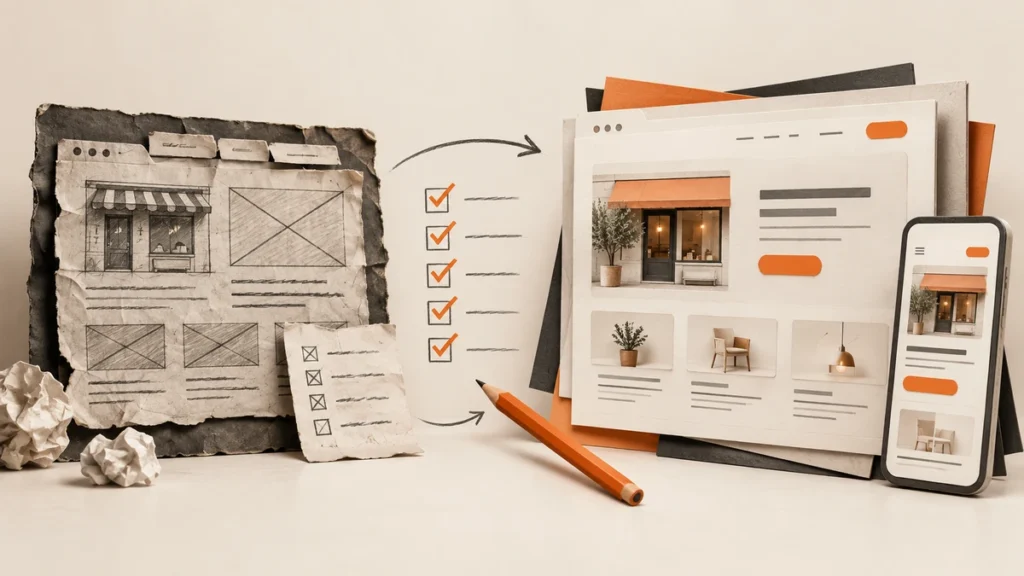
A website redesign is not only about changing colours, fonts, or images.
A good redesign should make the website easier to understand, easier to use, and more useful for the business. It should also fix problems that may be affecting enquiries, search visibility, and customer trust.
Before starting your next project, compare your current website with this small business website checklist to identify the areas that need attention.
1. Define Why the Website Needs to Change
Start by identifying the actual problems with the current website.
For example:
Visitors cannot find important information
The website looks outdated
The pages are difficult to use on mobile
The site is slow
The content no longer reflects the business
The contact forms do not work
The website receives traffic but few enquiries
The business has added new services
A clear reason for the redesign makes it easier to decide what should change and gives you a more realistic basis for reviewing website development cost.
2. Review Your Existing Website Data
Look at your current data before removing or rebuilding pages.
Review:
Most visited pages
Pages that generate enquiries
Search queries
Top landing pages
Mobile and desktop performance
Pages with high exit rates
Contact form submissions
Organic traffic trends
A page that looks old may still bring valuable traffic. Do not remove it without checking its performance first.
3. Review the Website Structure
Check whether the current navigation still makes sense.
A successful redesign also requires both website design and website development, because the website needs to look clear and function properly:
Main services
About information
Contact details
Important locations
Helpful resources
Reviews or project examples
If important pages are buried several clicks deep, the structure may need to be simplified.
4. Review Your Service Pages
Each main service should have a page that explains what it includes and who it is for.
Review whether each page has:
A clear opening message
A useful service explanation
Relevant benefits
A process section
Trust signals
FAQs where appropriate
A clear call to action
Links to related services or resources
Avoid combining several unrelated services into one page if each service deserves a separate explanation.
5. Update Outdated Content
A redesign is a good opportunity to review your content.
Update:
Old service information
Outdated statistics
Previous team details
Old pricing
Broken links
Incorrect locations
Unclear descriptions
Repeated content
Do not rewrite every page automatically. Keep useful content, improve weak sections, and remove information that is no longer accurate.
6. Check the Mobile Experience
Test the website on different devices.
Pay attention to:
Text size
Button size
Navigation
Forms
Images
Tables
Pop-ups
Spacing
Page speed
A redesign should improve the mobile experience, not simply create a new desktop layout.
7. Improve the Website Speed
Review large images, unnecessary plugins, scripts, fonts, and hosting limitations.
The most important pages to check are usually:
Homepage
Service pages
Contact page
Blog landing page
High-traffic articles
Speed improvements should be based on actual testing rather than guesswork.
8. Protect Your SEO During the Redesign
A redesign can affect search visibility if pages and URLs are changed without a plan.
Before launching, record:
Existing URLs
Important pages
Organic landing pages
Page titles
Redirect requirements
Internal links
XML sitemap settings
If a URL must change, create the appropriate redirect. Do not remove valuable pages without checking their traffic and backlinks.
9. Improve Calls to Action
Review whether visitors know what to do next.
Use clear actions such as:
Request a quote
Book a consultation
Call the business
Send an enquiry
View the service
Download the guide
The call to action should match the visitor’s stage in the decision process.
10. Test Every Form and Link
Before launch, test every form, button, menu item, phone number, email link, and important internal link.
Confirm that:
Forms can be submitted
Notifications arrive
Confirmation messages work
Buttons open the correct page
Phone numbers work on mobile
Links do not lead to error pages
Spam protection does not block genuine enquiries
11. Check Tracking and Integrations
Make sure your website still connects correctly with:
Google Analytics
Google Search Console
Google Tag Manager
CRM systems
Booking software
Email platforms
Advertising platforms
A redesign should not leave you without reliable performance data.
12. Create a Launch Checklist
Before launch, confirm that:
All important pages are complete
Content has been reviewed
Images are optimised
Forms have been tested
Redirects are in place
SEO titles and descriptions are ready
The website works on mobile
Analytics is connected
Search Console is connected
The sitemap is accessible
Backup and recovery steps are available
Final Answer
A successful website development service or redesign should improve more than the appearance of your website.
It should make the website clearer, easier to use, faster, more search-friendly, and more effective at generating enquiries.
The best redesigns begin with a review of the current website. They protect useful content, fix genuine problems, and make changes based on customer needs and business goals.
Frequently Asked Questions
How often should a small business redesign its website?
There is no fixed schedule. A redesign may be appropriate when the website is outdated, difficult to use, no longer reflects the business, or is not supporting its goals.
Will a website redesign affect SEO?
It can. Changes to URLs, content, navigation, and technical settings may affect search visibility. A redesign should include an SEO migration plan.
Should I keep my old website during a redesign?
Usually, the existing website should remain available until the new website has been tested and is ready to launch. The exact approach depends on the project and technical setup.
What is the first step in a website redesign?
Start with an audit of the current website. Review its data, content, structure, performance, technical issues, and business goals before deciding what to rebuild.
Is Your Website Ready for a Redesign?
If your website looks outdated, is difficult to use, or is not supporting your business goals, a redesign may be the right next step. Explore our Website Development Service to review your current website and create a clearer, more effective online experience.