
Last updated: 13 October 2026
This article summarises the latest website development updates from WordPress and Elementor during the October 2026 monitoring period. It covers platform releases, security improvements, AI development tools and changes that may affect website maintenance and management.
WordPress releases version 7.1.3
Date announced: 6 October 2026
Platform: WordPress
WordPress released version 7.1.3 as a maintenance and security release. Website owners should check their WordPress dashboard and confirm whether the update is available for their website.
Before updating a live website, create a recent backup and review whether important plugins and themes are compatible.
After updating, test:
Contact forms
Navigation menus
Homepage layout
Mobile display
Website tracking
Important plugins
Enquiry and checkout functions
Elementor releases an update focused on stability and security
Date announced: 5 October 2026
Platform: Elementor
Elementor’s recent changelog includes improvements to MCP connector setup, frontend dropdown stability, code security enforcement and update stability between Elementor Core and Pro.
These changes highlight why website owners should keep Elementor Core and Elementor Pro versions compatible. Updating one without checking the other can sometimes create problems with layouts, widgets or frontend functionality.
Source: Elementor roadmap and changelog
Elementor continues developing AI website workflows
Release period: September to October 2026
Platform: Elementor
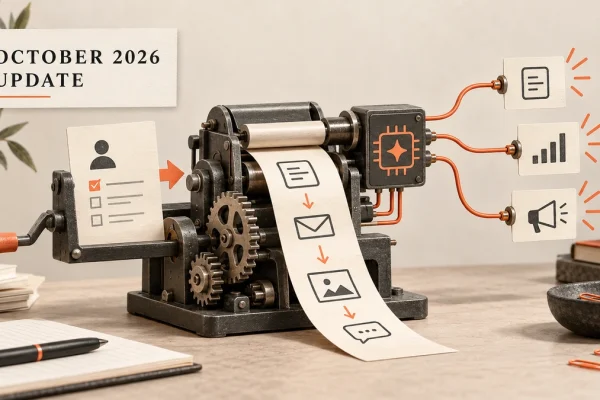
Elementor is continuing to develop AI-assisted workflows through Elementor MCP. The tool is designed to connect compatible AI tools with Elementor websites and help users create or edit pages and work with design systems.
These tools may make some website tasks faster, but they should be used with backups, approval processes and careful testing.
Source: Elementor official roadmap
What website owners should review after an update
After updating WordPress or Elementor, review:
Website layout
Contact forms
Mobile responsiveness
Page speed
Navigation
Tracking codes
Pop-ups
Images and videos
Search Console indexing
Plugin compatibility
A website can appear normal while a form, tracking script or interactive feature is no longer working correctly.
Frequently Asked Questions
Should WordPress updates be installed immediately?
Security updates should be taken seriously, but important websites should be backed up and tested where possible before updating.
Should businesses use Elementor’s AI tools?
They may be useful for selected workflows, but businesses should review access permissions and test all changes before publishing them.
How often should a website be maintained?
A monthly maintenance review is a useful starting point. Additional checks should be completed after major platform, plugin or theme updates.
Final thoughts
The October updates show that website development is moving towards more connected, automated and AI-assisted workflows. These tools can support website management, but backups, testing and human review remain essential.
For help creating or maintaining a business website, explore our website development services or read our small business website checklist.
This article will be updated when additional confirmed website development announcements become available.